

The middle of a match or movie freezing is frustrating and is typically something that can be fixed. There are three elements that must work together to achieve smooth streaming: a fast connection, a capable streaming device, and a good home network that can transmit the signal. This guide to the hardware explains what is most important and how to install it for consistent, good-quality viewing.
Identify the real bottleneck first.
Many people upgrade their television when the real problem is the network. Test your internet speed close to your router and in the room you watch, before you purchase anything. If the two points are far apart, it indicates that there is a Wi-Fi issue. If both are slow, it could be a problem with your internet service or the router. Understanding the location of the slowdown can save money and guesswork.
Choose a Streaming Device That Can Keep Up
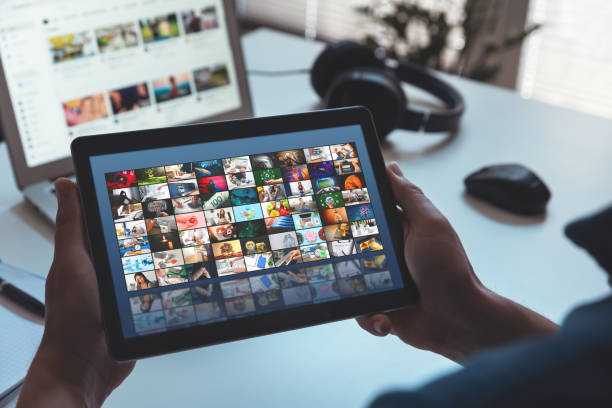
The part that decodes the video is called your player, and an older or inexpensive player can cause stutter, even with a high-speed connection. Find a device with a modern processor, sufficient memory, 4K and HDR support, and a current type of wireless. Internet- streamed television providers like Flixtele Canada use player apps on a smart TV, streaming stick, or set-top box, and the quality of those devices will impact your experience. Before purchasing the model, ensure that the software is updated regularly and the model can support the apps you’re gonna use.
Get the Router Right
The router manages the traffic of all devices in your home. If you have an older router, it might not cope well if you have phones, laptops, and televisions all sending streams. Newer models are able to support higher wireless speeds and manage more devices with ease. It should be located in a high, open area, away from dense walls and cordless phones/microwaves. If you have a larger home, then a mesh will clear dead spots that a single router cannot reach.
Use a Cable Where You Can
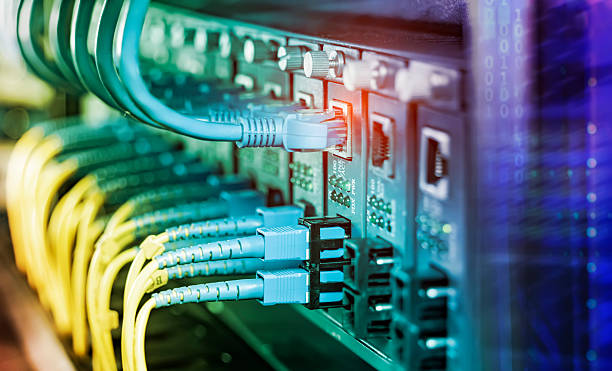
Wire is virtually always more secure than wireless. If your TV or streaming box is close to the router, use a network cable to connect them. This eliminates interference and reduces delays. If running a cable is not feasible, powerline adapters or a mesh node using a wired port can be useful. Use wireless for phones, tablets, and devices that are moving, leaving your primary screen clear.
Understand the speed targets.
Generally, HD streams require a connection of 10 to 20 Mbps, while 4K streams may require 25 Mbps per screen or higher. Multiply that by the number of screens being used together, plus room for video calls, games, and downloads. If your budget is tight, increase your plan or change your spending habits in the hours just before and after the usual time of the day. If you can set the quality of service for your router, prioritise the streaming device so that massive downloads don’t disrupt the stream.
Don’t forget cables, ports, and display settings.
The background of hardware, if not mentioned, can subtly restrict the quality of the pictures. Use a high-speed HDMI cable capable of 4K and HDR, and connect it to the right port on your TV, as some ports are not HDMI-compatible. Make sure that your display is on the correct resolution, and that motion smoothing and picture modes aren’t causing lag. Using a good soundbar or receiver, connected appropriately through the correct audio port, also helps to fill the streaming experience.
Keep Your Network Secure and Your Content Legitimate

More connected devices equals more entry points – have a strong router password and update the firmware. Set up a guest network and disable features if you don’t need them. Beware of sourcing your content as well. Look for services with proper licenses and read the terms and conditions, and be wary of services that seem awfully cheap or big, as there may be unlicensed streams, and these streams can be unreliable and risky.
Conclusion
The best streaming experience is when the hardware is matched with a healthy network. Test your speeds, select a good device, position and install the router intelligently, use a cable if practical, and double-check your cables and display settings. Start with the weakest link, and you’ll watch a lot more and wait a lot less.